
BAAM AI Blog
Statistics And Data
Data should not turn iContact email marketing into a spreadsheet obsession. The point is not to collect every possible metric or compare your business against every public benchmark. The point is to understand what...
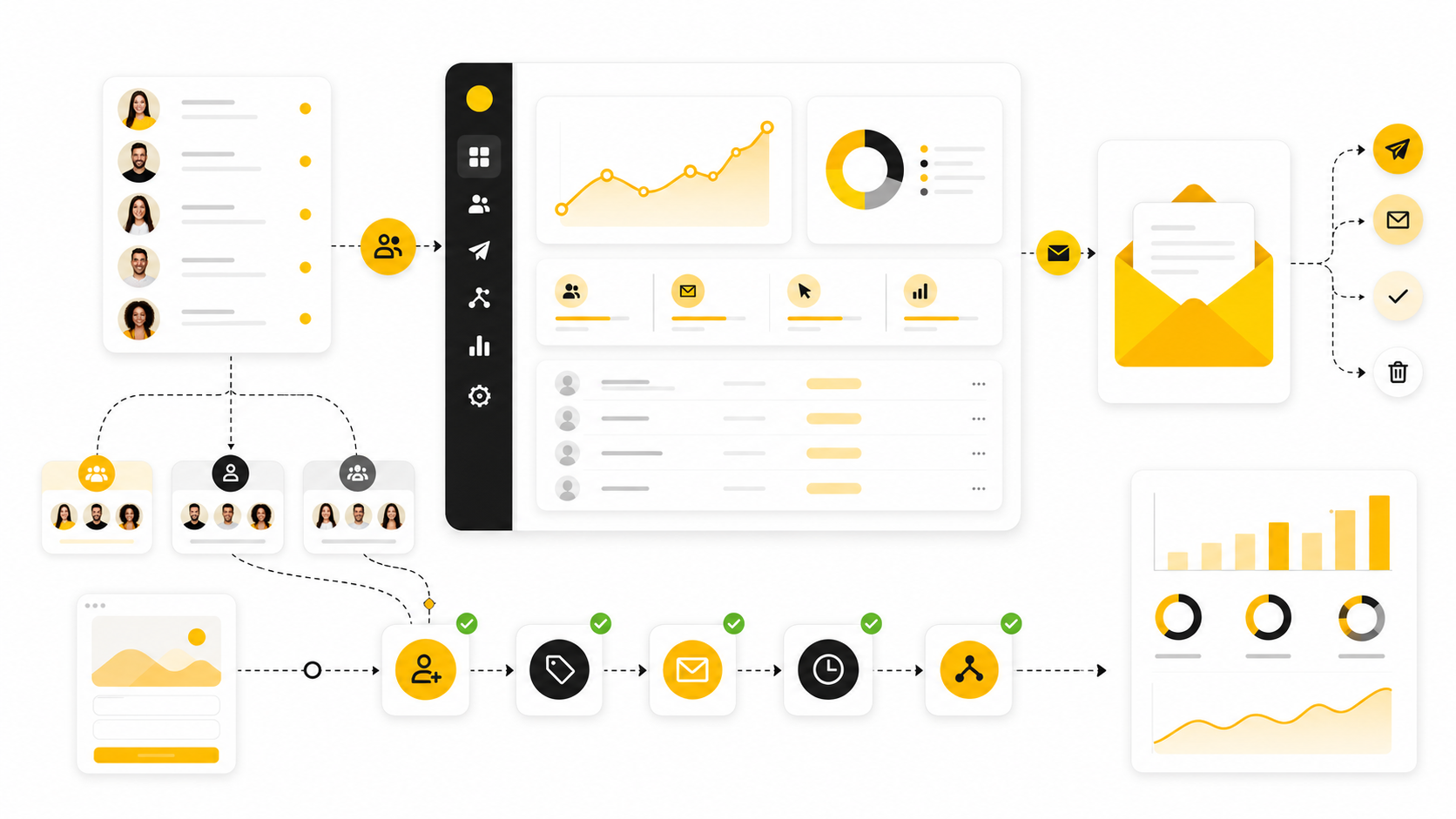
Data should not turn iContact email marketing into a spreadsheet obsession. The point is not to collect every possible metric or compare your business against every public benchmark. The point is to understand what each number is telling you, then use that signal to make the next campaign better.
Benchmarks are useful because they give you a rough sense of what “normal” looks like. They are dangerous when you treat them like universal targets. A B2B consulting list, an ecommerce promotion list, a nonprofit donor list, and a local service business list can all produce very different numbers for completely valid reasons.
That is why the smartest way to use data is directional. Are more of the right people receiving your emails? Are enough of them opening? Are the right subscribers clicking? Are clicks turning into booked calls, orders, registrations, or replies? Those questions matter more than chasing one impressive-looking percentage.
Delivery Rate Shows Whether The Email Arrived
Delivery rate tells you how many emails were accepted by receiving servers. It does not guarantee inbox placement, and it does not prove that subscribers saw the campaign. Still, it is the first metric to check because every other result depends on the email getting through.
A strong delivery rate usually means your list is reasonably clean, your sending setup is stable, and your bounces are under control. The DMA’s 2025 benchmark report showed delivery rates rising to 98% in 2024, which gives businesses a useful reference point for healthy permission-based email programs. If your delivery rate is far below that, the issue is not copywriting yet; the issue is list quality, authentication, suppression, or sending reputation.
Do not confuse delivery with inbox placement. A delivered email can still land in promotions, updates, junk, or another low-attention folder. That is why delivery rate should be read alongside opens, clicks, complaints, bounces, and direct business outcomes.
Open Rate Measures Attention, Not Success
Open rate is useful, but it is not the finish line. It helps you understand whether your sender name, subject line, timing, and audience relevance are strong enough to earn attention. But an open does not pay the bills unless it leads to a meaningful next step.
Recent benchmark data from MailerLite showed an average 2025 email open rate of 43.46%, while the DMA reported open rates at 35.9%. Those numbers are helpful ranges, not fixed rules. Apple Mail Privacy Protection and different tracking methods can also inflate or distort opens, so treat open rate as a directional signal rather than a perfect measurement.
In iContact email marketing, a weak open rate should push you to inspect the top of the campaign. Is the audience too broad? Is the sender name recognizable? Is the subject line specific enough? Is the email arriving at a reasonable time? Fix those before rewriting the whole campaign.
Click Rate Shows Whether The Message Created Action
Click rate is usually more useful than open rate because it shows whether the email motivated someone to act. A subscriber who clicks has moved from passive attention to active interest. That is a much stronger signal than simply opening a message.
MailerLite’s 2025 benchmark data reported an average click rate of 2.09%, while the DMA reported unique click rates reaching 2.3%. If your click rate is low but your open rate is healthy, the issue is usually inside the email. The offer may be weak, the call to action may be buried, the message may be too broad, or the landing page promise may not feel worth the click.
A strong click rate does not automatically mean the campaign worked. It means the email earned enough interest to move people forward. The next question is whether those clicks became revenue, booked appointments, purchases, registrations, replies, or another business outcome.
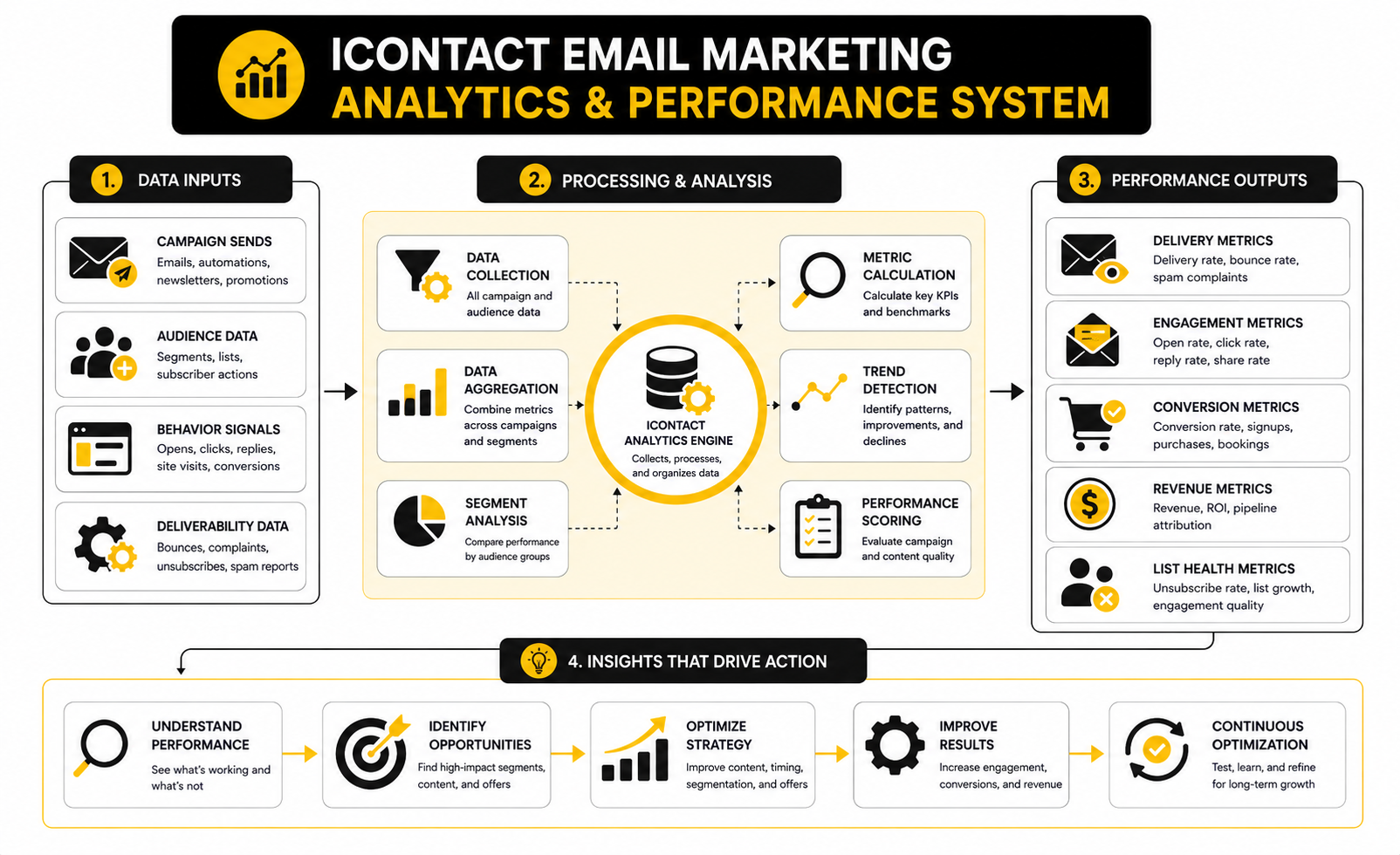
Conversion Rate Shows Whether The Campaign Made Business Sense
Conversion rate is where email analytics becomes serious. It tells you whether people completed the action you actually wanted after clicking. That action might be buying, booking, registering, requesting a quote, filling out a form, starting a trial, or replying with interest.
This is where many teams stop too early. They celebrate opens and clicks, but they do not track what happened after the click. That creates a false sense of progress because an email can look healthy in iContact while the landing page, offer, checkout, booking page, or sales process quietly loses the lead.
A good analytics system connects the email to the next step. If the campaign promotes a landing page, the landing page needs tracking. If the email drives calls, the booking page needs tracking. If the email supports a funnel, the funnel needs conversion data. For businesses that need tighter pipeline visibility across email, forms, calls, deals, and follow-up, GoHighLevel can make more sense than treating email analytics separately from the sales process.
Bounce Rate Protects Sender Reputation
Bounce rate tells you how many emails could not be delivered. Hard bounces usually mean the address is invalid or no longer exists. Soft bounces can happen because of temporary inbox issues, full mailboxes, server problems, or other short-term delivery barriers.
This metric matters because repeated sending to bad addresses can damage sender reputation. Mailgun’s email benchmark guidance notes that many top industries keep bounce rates well under 0.5%, and a bounce rate climbing above 2% is a clear sign that the list needs attention. In plain English: if too many addresses are bad, clean the list before sending more campaigns.
For iContact email marketing, bounce rate should trigger operational action. Remove or suppress hard bounces, review imported contacts, check old lead sources, and avoid sending to people who have not engaged in a long time without a re-engagement plan. A smaller clean list is better than a large list that damages deliverability.
Unsubscribe Rate Is Feedback, Not Failure
Unsubscribes are not automatically bad. Some people will leave because they are no longer interested, changed roles, already solved the problem, or only wanted one specific resource. That is normal, and it can even improve list quality.
The problem is when unsubscribes spike after a specific campaign or remain high across multiple sends. MailerLite’s 2025 benchmark data showed an average unsubscribe rate of 0.22%, which gives you a useful reference point. If your rate is consistently above the norm, review frequency, relevance, list source, and whether your emails match the promise people accepted when they subscribed.
Unsubscribes should be read with context. A direct sales campaign may produce more unsubscribes than an educational newsletter, and that may be acceptable if it also drives revenue from qualified buyers. But if people leave without meaningful conversions, the campaign is probably misaligned.
Spam Complaints Are The Metric To Take Personally
Spam complaints are different from unsubscribes. An unsubscribe says, “I do not want this anymore.” A spam complaint says, “I do not trust this sender in my inbox.” That is a much bigger problem.
Even a small complaint rate can hurt. Mailgun’s deliverability guidance explains that one complaint out of 1,000 messages equals a 0.1% spam complaint rate, which is already a level marketers should treat carefully. If complaints appear, do not keep sending as if nothing happened.
The fix starts with permission and expectations. Make sure people know what they signed up for, send from a recognizable identity, avoid misleading subject lines, and make unsubscribing easy. Hiding the unsubscribe link is not clever; it trains frustrated subscribers to hit the spam button instead.
ROI Connects Email Activity To Revenue
Return on investment is the number that forces the conversation out of vanity metrics. If email is getting opens and clicks but not supporting revenue, retention, pipeline, or customer value, something is missing. A business does not need email activity; it needs email contribution.
Litmus reported that many companies see email returns between $10 and $36 for every $1 spent, with some reporting even higher ranges. That does not mean every iContact campaign will produce that result. It means email can be highly profitable when the list, offer, timing, tracking, and follow-up are aligned.
This is where you should be honest. If you cannot connect campaigns to revenue directly, start with proxy conversions: booked calls, quote requests, demos, trials, purchases, repeat purchases, or replies from qualified prospects. Over time, tighten the tracking so email performance is judged by business impact, not just engagement.
What To Do With The Numbers
The best analytics routine is simple. Review delivery first, then opens, then clicks, then conversions, then negative signals like bounces, unsubscribes, and complaints. That order helps you diagnose where the campaign broke instead of guessing.
Use this decision path after each campaign:
That is the practical way to use iContact email marketing data. The numbers are not there to make you feel good or bad. They are there to show you what to fix next.
Build a stronger local presence with BAAM AI
Turn your website, Google profile, social channels, and AI visibility into one growth engine
Most businesses do not need more random marketing activity. They need a consistent presence system that helps the right people find them, trust them, and take action. BAAM AI brings strategy, local SEO, website updates, Google Maps visibility, social content, AI-search readiness, media production, and reporting into one practical monthly engine.
If you want your marketing to keep working after the campaign ends, start with a free BAAM AI presence audit. See how your business shows up today and where the fastest visibility wins are at BAAM AI.